Load Waveform
Waveforms can be generated by loading a previously saved .wfa file or by entering a waveform code in the Common section of the Waveform tab.
Previously Saved Waveforms
Waveform files saved from a previous session in the GUI application can be loaded easily. The files have the extension .wfa and are stored in your application folder or the user-defined waveform directory.
» With the program open, click on the Waveform tab if you are not already in the Waveform Panel.
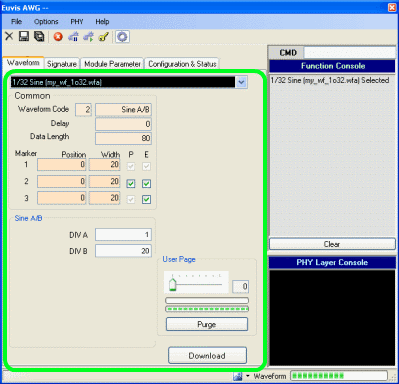
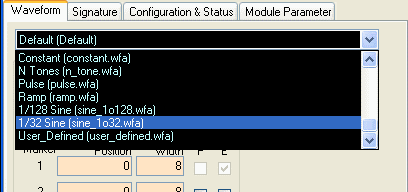
» Click on the drop-down list and select one of the saved waveforms. The
drop-down list displays all .wfa files saved in the working directory.
» Change any parameters if desired, and then press the Download button at the bottom of the waveform panel or from the right-click pop-up menu. Wait until the waveform finishes downloading to the AWG module, and then restart the waveform.
Waveform codes
For details on using the waveform codes to generate waveforms, please go to the
Waveforms page.
Inverse Sinc Filter
The Inverse Sinc Filter is available from the Options menu bar. For details on applying the inverse sinc filter to analog waveforms, please see the description on the menus page.