Module Parameter Panel
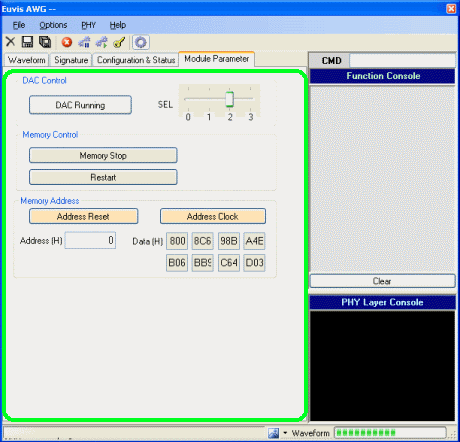
The module parameter panel is accessed by the fourth tab below the tool bar and menu bar, near the top of the application window. From this panel you can set the MUXDAC sampling select window, set whether to stop or start the DAC and memory, and see the actual memory data.
DAC Control
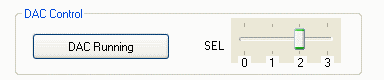
DAC Running/Reset
Stops or resets the DAC. While the DAC is stopped, the waveform is no longer output.
SEL
Selects which of four possible times to sample the data. The optimal SEL setting
changes
for different clock frequencies, and at least one SEL setting allows data to be
sampled near the most open part of the eye between signal switching. The SEL
setting for the currently set frequency can be saved in the signature panel.
For the AWG472/872, there are two trackbar controls: SELA and SELB. These correspond
to Channels A and B, respectively, allowing you to choose the optimal SEL setting
for each channel independendly.
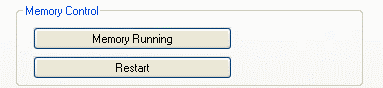
Memory RUN/STOP
Stops the waveform at the current memory address. When memory is stopped, you can go through each memory address manually and see the waveform data stored in each address using the Address Reset and Address Clock buttons.
Memory RUN/STOP is also useful if you wanted to change the input clock frequency in the middle of a waveform. You click the Memory STOP button to temporarily stop the waveform, change the input clock frequency, and then click on Memory RUN button (same button) and the waveform will start again at the new frequency. Be sure also to adjust the value in the Clock Frequency bar in the Signature panel to ensure that the output will match the values desired.