Example 2 : Relative Sine Wave
This example will show you how to create a relative frequency sine wave with the AWG. The relative sine wave has a frequency relative to the input clock frequency
by a frequency factor. The output frequency
will always be the same factor of the input frequency.
Click on the Waveform tab. In that panel, make sure that the Waveform Code is set to "2". This is the code for relatve frequency sine waves.
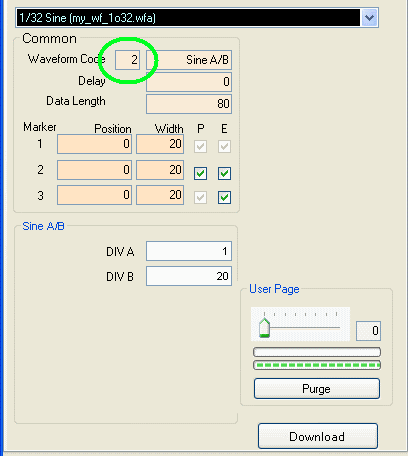
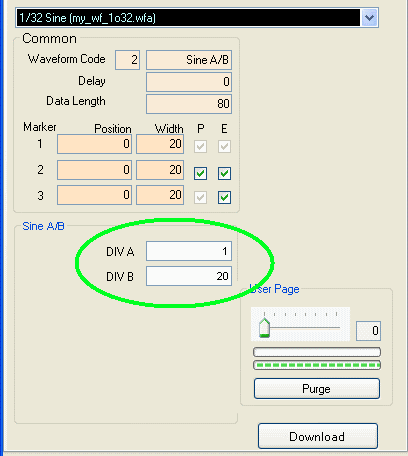
You should see that in the Waveform Type box it will say "Sine A/B". On the bottom you will see two boxes: DIV A and DIV B.
DIV A is the numerator of the factor that you will multiply to the input clock and DIV B is the denominator of the factor. They should both be hexadecimal integers. So if
wanted to have a factor of 3/4 then you would have DIV A be equal to 3 and DIV B equal to 4. If your input frequency were 2 GHz, then the output frequency of the sine wave would be 1.5 GHz. Put in
mathematical notation:
f_out = f_in * ( DIV A / DIV B )
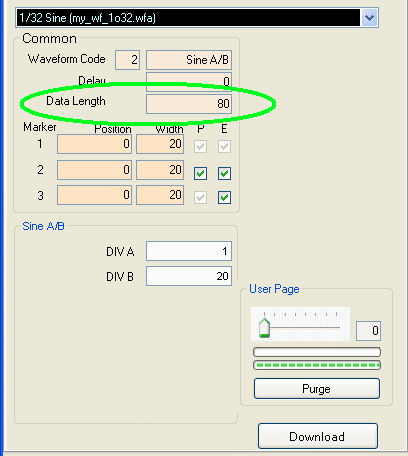
You can also change the number of points that the waveform will have per cycle. To do this, change the Data Length to the number
of points you want. Please note that the
Data Length is specified in hexadecimal, and it should be a multiple of
20 (hex). For more information on Data Length, please see the Data Length page.
Press the Download
button (at the lower right corner of the waveform panel). You
must press the Download button each time you finish changing the parameters.
Press the Restart button as needed to restart the waveform.