Save Waveform -
There are two ways to save a waveform: save into an existing waveform and save into a new waveform file. Waveform files are marked ".wfa" and by default are in the directory C:\Program Files\Euvis\AWG\. We strongly recommend that you change this directory by changing the "User Waveform Directory" in Preferences, so that your waveform files are preserved if you uninstall the AWG software.
Saving into Existing File
» After you have loaded an existing file, change the waveform parameters and the module parameters to the desired settings.
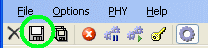
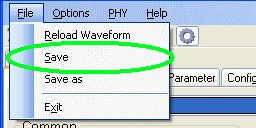
» When you are ready to save, click on either the "Save Waveform" button or go to the menu bar and click on File --> Save.
|
|
Saving into New File
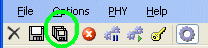
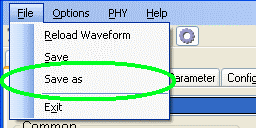
» First, load any predefined waveform from the drop-down list in the Waveform panel, and simply change any parameters to the desired settings. Then either click on the "Save Waveform As" button or go the menu bar and click on File --> Save as.
|
|
» A new dialog box will appear, giving you the option to save the waveform.
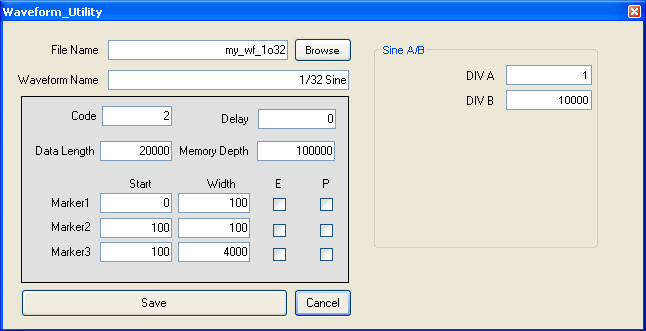
File Name is the actual file name that the operating system uses to identify your file.
Make sure that the file name ends with ".wfa" to distinguish it from other files.
Use the Browse button to choose the directory in which to save
your files. The default directory is your program directory, but please note that if you uninstall the AWG application, any waveform
files saved in your program directory may be erased, so please save your waveforms
in a different directory.
Waveform Name is an internal program name that will show up in the drop-down list in the
Waveform panel and will help you identify the waveform file.
The other options in the gray box are just the currently used parameters.
If you wish to change them, you may alter
the values in the boxes to the right of each
parameter. Some parameters may not automatically reflect the currently used parameters
and need to be entered again here before you save them.
» After you are satisfied, click on the Save button.
Note that if the File Name is
not unique, the program will overwrite the existing file without warning you,
so please
be careful.