Internal State -
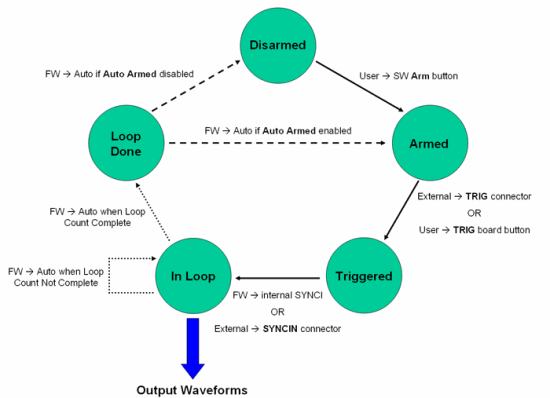
The DSM board uses internal states to produce controllable outputs and is also necessary for synchronization between two boards. There are five internal states that the board can be in:
- Disarmed - in this state, the board does not do anything.
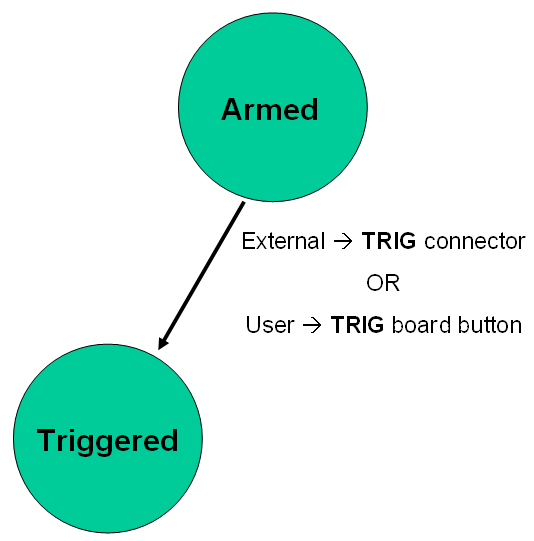
- Armed - in this state, the DSM waits for a trigger signal which will commence the waveform output sequence
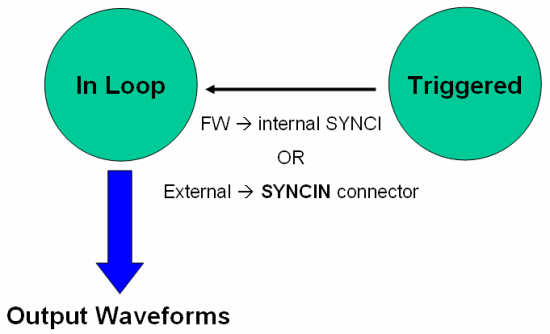
- Triggered - this is the delay state between the trigger signal and the beginning of waveform output
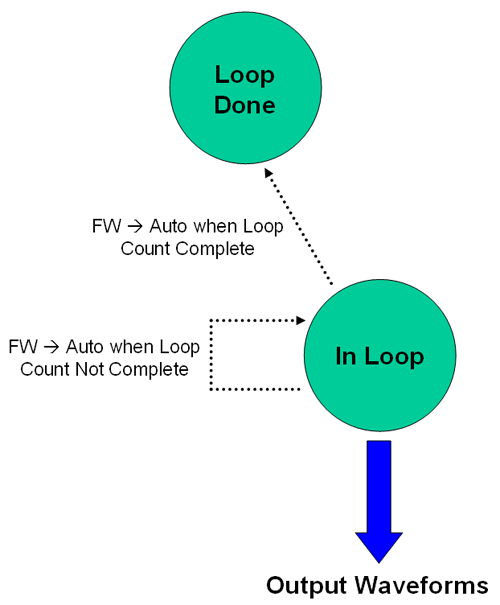
- In Loop - this is the state where the DSM outputs the waveforms. The board stays in this state until the Loop Count is complete
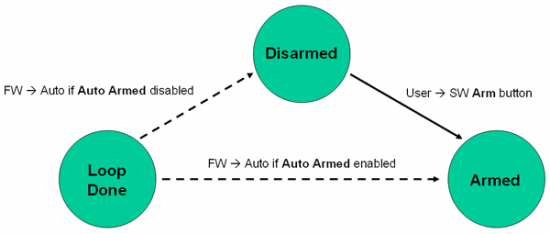
- Loop Done - this is the state right after "In Loop". This is where the board decides to either go to the "Disarmed" state or go to the "Armed" state
The DSM produces waveforms ONLY in the "In Loop" state and must go through several other states before it actually reaches that state. The different internal states is not only important because it is necessary for synchronization but is also important so that the DSM itself is able to output waveforms in a controllable fashion.
Below is a timeline of the different signals within the board and how they affect the internal states. Two states, "Disarmed" and "Loop Complete", are not shown.
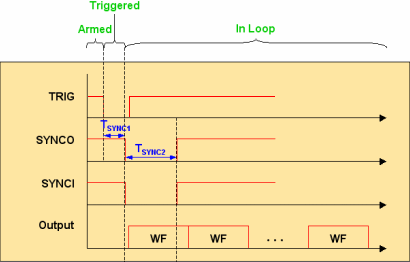
Basically, the goal is to be able to reach the "In Loop" state in a repeatable and orderly way. The signals above are the specified signals that are able to change the board's state from one state to the other. It is assumed that the board is already in the "Armed" state. The falling TRIG signal changes the state from "Armed" to "Triggered" and also changes the SYNCO signal after a user specified delay. The SYNCO signal is mirrored by the SYNCI signal (see the Synchronization page for a more detailed discussion) and when SYNCI signal signal falls to low, the board's state changes from "Triggered" to "In Loop" and begins waveform generation.
It is important to note that only the right combination of signal and state will have an effect on the DSM. For example if the board was in the "Armed" state and you make the SYNCI signal go low, the board would not do anything because it is not in the "Triggered" state. But if the board was in the "Triggered" state and you make the SYNCI signal go low, then this would cause the board to change to the "In Loop" state and produce waveforms.
States are changed either automatically through the firmware, by user action or through an external input such as clock signals. For example changing the board from “Disarmed” to “Armed” requires that the user clicks on the Arm button in the GUI application but changing from “In Loop” to "Loop Complete" is done automatically without user or external input.
The diagram below shows how the board operates in regards to its different states. Waveform generation as stated previously is done in the “In Loop” state. "SW" stands for software and refers to the DSM application and "FW" stands for firmware and refers to the onboard firmware which operates automatically.
Disarmed
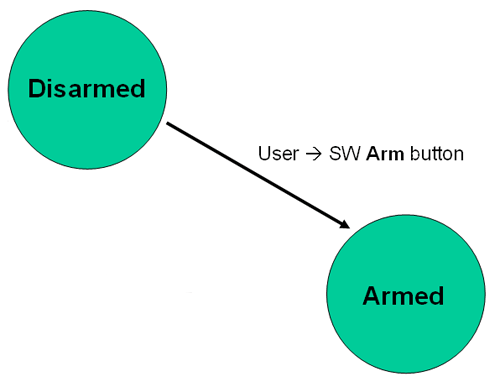
When the DSM application is first turned on, it will put the board in the “Disarmed” state. At this point, the user can click on the Arm button in the DSM application to change the board to the “Armed” state. No other inputs will affect the board during this state.
Armed
In the “Armed” state, the board is ready to be triggered. The user can either supply a trigger signal through the TRIG SMA connector or manually press the TRIG button on the physical board. Only falling signals (from logical high to low) will cause the board to change to state “Triggered”.
Triggered
Once the board is in “Triggered” state, it will automatically go to the next “In Loop” state after a brief time that is specified by the user called TSYNC1. For a detailed look at the “Triggered” to “In Loop” transition, please go to the Synchronization page in the Multiple Board Operation section.
In Loop
When the board is producing output waveforms, it is considered to be in the “In Loop” state. Each loop is equivalent to one waveform which is basically running through one Memory Depth Cycle. The number of loops is specified by Loop Count in the DSM application. If Loop Count is zero, then the board will be in an infinite loop and will output waveforms continuously until the user presses the Abort button in the DSM application.
NOTE: You may stop the entire sequence of events and return the board to "Disarmed" by using the Abort button at any time.
Loop Done
If Loop Count is finite, then after the last waveform is complete, the board will automatically enter the “Loop Done” state. As this point, the board either goes into “Disarmed” state or “Armed” state depending on if Auto Arm is enabled in the DSM application. If Auto Arm is checked, then the board will go into “Armed” state and will be ready for the next trigger signal. If it is unchecked, then the board will go into the “Disarmed” state and the user will have to manually arm the board again.