Module Parameter Window -
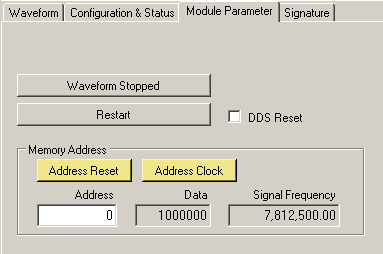
General
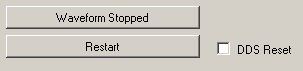
Memory Stopped/Running
Stops or starts waveform output.
Restart
Restarts memory after stopping memory or restarts memory from beginning of address.
DDS Reset
Disables the DDS output only. Pleae note that the memory will still run even if DDS Reset is enabled.
Memory Address
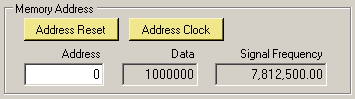
The Memory Address section is a good tool to debug waveforms which you have created. It will display each frequency stored in the high speed memory. If the actual frequency output does not match your desired frequency, you will need to recheck the waveform data file.
Please note that Memory Address walking will only work if the DSM is in the Free Run mode and waveform output is stopped.
Address Reset
When memory is stopped, you can click this button to view the frequency at the first memory address.
* You may have to check or uncheck the CK2S box in the Signature tab of the GUI in order to get the correct first memory address. If you change CK2S you will need to restart the waveform, stop the waveform and then reset the memory address to get the updated first memory address.
Address Clock
Increments memory location by 1 so you can view output frequencies of sequential memory address.
Address
Displays the current memory address. You may type in a memory address in this box to view the frequency at that address. Address is specified in hexadecimal.
Data
Displays the frequency word data in hexadecimal of the current memory address.
Signal Frequency
Displays actual frequency in decimal of the current memory address.